
Perfect Viewer Donation 2
Rookie001Comics
4.753.00 Reviews
- Version
- 1.4.2
- Installs
- 10.00K
- Age Rating
- Everyone
Screenshots
Our Review of Perfect Viewer Donation 2
 Analysis by Appyee
I tend to judge a comic-reading setup by what happens on an ordinary day: can I get to the right page quickly, settle into a comfortable view, and pick up again without fuss? Perfect Viewer Donation 2 needs to be understood in that context. It is a paid companion for Perfect Viewer, not a standalone comic library, so its value depends on whether you already use the main app and want to enable its donated-user functions.
Speed starts with the role it plays
That distinction matters more than a long feature checklist. This app is listed in the comics category, but its purpose is to unlock functionality in Perfect Viewer; it is not the reader I would choose as a first download if I had no connection to the main app. The developer is Rookie001, and the app costs $5.00. Before buying, I would check that Perfect Viewer is installed and that this is the donation companion I intend to use.
For someone who already reads in Perfect Viewer, the appeal is straightforward: the donation app is a route to supporting the developer while enabling the corresponding functions in the reader. I would not expect the companion itself to make comics open faster or to act as a separate browsing experience. The practical speed question is really about the reading app and the files being opened, rather than a standalone tool here.
Where it fits in a real reading routine
Imagine having a few minutes during a commute and wanting to continue a comic you already opened in Perfect Viewer. This companion is relevant in the background of that routine, not as the place where you browse for the next issue. If you are already comfortable with Perfect Viewer, the extra step can make sense as a way to enable donated-user functions without changing your reading habits.
If you are still deciding between comic apps, the comparison is different. Many alternatives are complete readers that can be installed and assessed on their own. This one is tied to Perfect Viewer, so a newcomer may prefer to try a standalone reader first and see whether its controls, file handling, and library approach suit them. The companion makes more sense once that choice has already been made.
Using the companion without confusing it for the reader
The app’s compact purpose is both its strongest point and its main limitation. It keeps the donation decision focused, but it also means the everyday experience depends on the main Perfect Viewer app. I would not buy it expecting a bookshelf, comic search, page controls, or a separate reading interface from the companion itself. Those are questions to answer by looking at the reader you plan to use.
What to check before paying
A sensible pre-purchase check is to open Perfect Viewer first and confirm that it is the app you want to keep using. Then consider whether enabling donated-user functions is worth the price to you. That small bit of preparation avoids a common mismatch: buying a companion app when what you actually wanted was a new comic reader or a place to discover titles.
The app has an Everyone content rating, and its listed minimum operating-system requirement is Android 1.6. Its current version is 1.4.2. It has been available since September 9, 2011, so it is a long-running, narrowly focused utility rather than a new all-in-one comics platform. I would weigh that age in practical terms: the key issue for a buyer is whether it continues to work with the particular Perfect Viewer setup and device they use.
Stability, recovery, and the limits of what to expect
I would be cautious about treating the companion as a performance upgrade. It is not the place where pages are rendered or where a large archive is browsed, so it would be misleading to credit it with faster page turns or smoother zooming. If a reading session feels slow, I would first look at the comic file and the main reader rather than assume this donation app is responsible.
Likewise, recovery from a problem is mostly a matter of returning to Perfect Viewer and checking that the reader recognizes the enabled functions. The companion is not a backup tool or a comic archive manager. For anyone who wants all reading, organization, and troubleshooting in one app, that division of roles can feel less convenient than a standalone alternative.
Who will find the purchase worthwhile
I would recommend it to readers who already rely on Perfect Viewer, are happy with that reader, and deliberately want to support its developer while enabling the associated donated-user functions. It suits someone who has already built a routine around the main app and does not want to switch just to make a donation.
I would skip it if you are looking for a free, independent comic reader, a storefront, or an app that organizes a collection by itself. It is also a poor fit if you are uncertain about Perfect Viewer: try the reader first, learn whether it suits your files and habits, and only then decide whether this companion belongs in your setup.
There is a meaningful audience behind the app: it has a 4.7 average from around 500 ratings, with over 10,000 installs. Those figures suggest that many users have found a reason to keep it, but they do not change its narrow purpose. I would treat them as context, not a guarantee that the companion will be useful if you do not already use Perfect Viewer.
My performance verdict
Perfect Viewer Donation 2 is best judged as a small enabling purchase, not as a comics app that competes feature for feature with complete readers. Its speed and stability are tied to the main app and the device doing the reading; the companion itself does not give me a basis for promising a faster or more reliable session. The most useful advice is simple: confirm that Perfect Viewer is your chosen reader, make sure you understand what the donation companion is for, and then decide whether the paid functions and developer support are worth it to you.
For an existing Perfect Viewer reader, that can be a clear and reasonable choice. For everyone else, I would start with a standalone comic reader and return to this companion only if the main app becomes part of your routine.
Diving into the world of digital comics can be a thrilling adventure, especially when you have the right tools to enhance the experience. That's where Perfect Viewer Donation 2 comes into play. As an avid comic enthusiast, I decided to give this app a spin and, boy, was it worth it!
First Impressions of Perfect Viewer Donation 2
When you first download Perfect Viewer Donation 2, it feels like stepping into a treasure trove of features. The app is designed to be a seamless companion for comic lovers, offering a smooth and intuitive interface. Right off the bat, I was greeted with a sleek and simple layout, making navigation a breeze even for those who might not be tech-savvy.
The app supports a variety of file formats, including CBZ, CBR, and PDF, ensuring that your favorite comics, no matter the format, are just a tap away. For someone like me who has comics in every digital shape and size, this feature was a lifesaver.
Exploring the Features
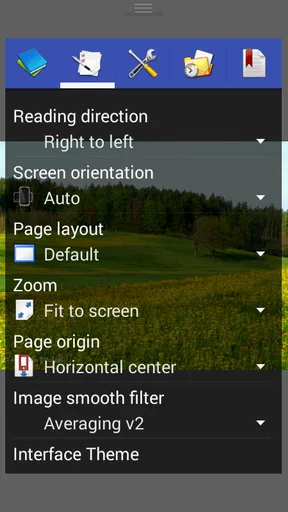
One of the standout features of Perfect Viewer Donation 2 is its customization options. From changing the background color to adjusting the brightness and contrast, the app allows you to tailor your reading experience to your liking. I found myself playing around with these settings quite a bit, especially when switching between different comics with varied color palettes.
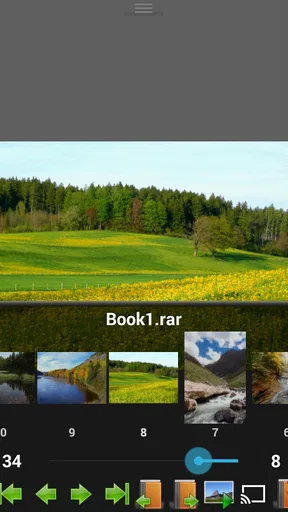
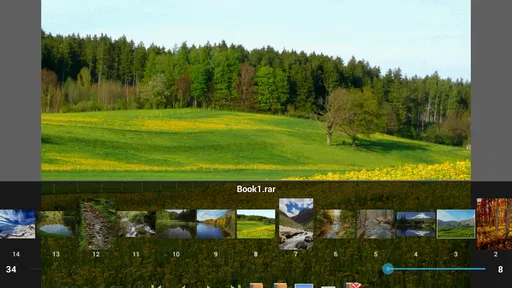
The app also boasts multiple viewing modes. Whether you prefer a single page or a dual-page view, the choice is yours. Personally, I enjoyed the dual-page view for larger comics as it gave me the full spread effect, akin to reading a physical book. Plus, the pinch-to-zoom functionality is incredibly responsive, making it easy to zoom in on those intricate panels.
Performance and Usability
Performance-wise, Perfect Viewer Donation 2 is a powerhouse. I loaded up some hefty files, and the app handled them without breaking a sweat. It was refreshing to have an app that didn't lag or crash under pressure. The developers clearly prioritized a smooth user experience, and it shows.
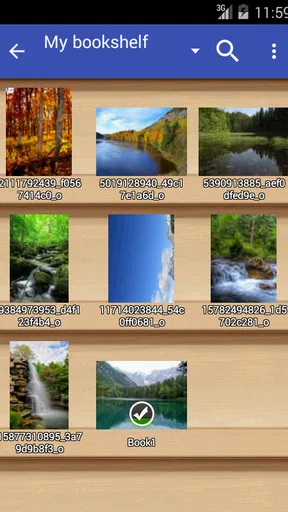
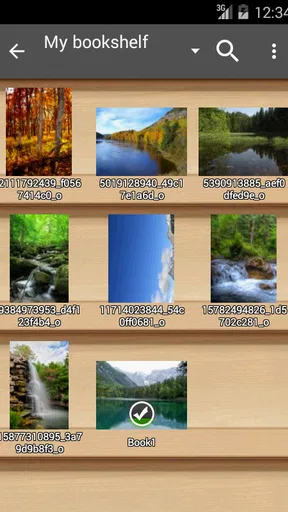
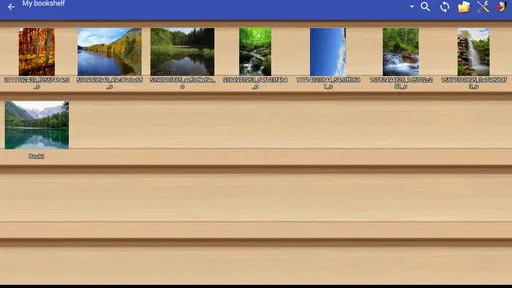
Usability is another area where this app shines. The bookshelf feature is a neat addition, allowing you to organize your comics into collections. I found this particularly helpful for keeping my superhero comics separate from my manga collection. The search function is also robust, making it easy to find specific titles in a jiffy.
The Extras That Make a Difference
Beyond the basics, Perfect Viewer Donation 2 offers some nifty extras. The app supports cloud storage integration, making it a cinch to access my comics from Google Drive and Dropbox. This was a game-changer for me, as I often switch between my tablet and phone. It’s a small feature but one that made a big difference in my overall experience.
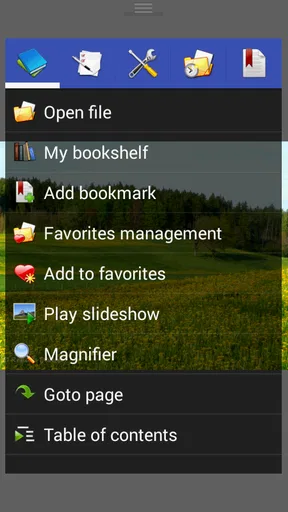
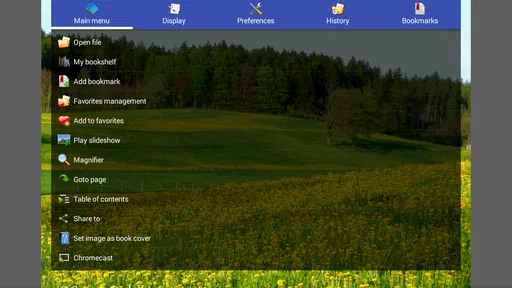
Another cool feature is the ability to set bookmarks. I often jump between different comics, and having the ability to mark my place was incredibly handy. This feature alone made my reading sessions much more enjoyable, as I didn’t have to remember where I left off.
Final Thoughts
All in all, Perfect Viewer Donation 2 is a stellar choice for comic book enthusiasts. Its robust feature set, coupled with its user-friendly interface, makes it a top contender in the world of comic readers. Whether you're a casual reader or a die-hard fan, this app has something to offer.
If you're looking for an app that offers flexibility, performance, and a touch of personalization, Perfect Viewer Donation 2 should be at the top of your list. It's an app that truly understands the needs of comic book lovers and delivers an experience that's both enjoyable and efficient. Give it a try, and you might just find it becoming your new favorite reading companion.
Verdict
Strengths of Perfect Viewer Donation 2
- Supports multiple file formats.
- Highly customizable interface.
- Offline reading available.
- Fast and smooth performance.
- No ads in donation version.
Limitations of Perfect Viewer Donation 2
- Limited support for cloud storage.
- No integrated store for comics.
- Requires manual file organization.
- Steep learning curve for beginners.
- Lacks advanced annotation tools.
Other Releases by Rookie001
View All


Similar Picks in This Category
View All
WEBTOON: Manga, Comics, Manhwa
NAVER WEBTOON4.6

MangaToon: Comic & Manga
MangaToon4.3

네이버 웹툰 - Naver Webtoon
NAVER WEBTOON4.3

Tapas – Comics and Novels
Tapas Entertainment Inc.4.2

Lezhin Comics - Daily Releases
LEZHIN ENTERTAINMENT3.3

WebComics - Webtoon & Manga
WEBCOMICS HOLDINGS HK LIMITED4.4
Frequently Asked Questions
What is Perfect Viewer Donation 2 and how does it enhance the original app?
Perfect Viewer Donation 2 is an add-on for the popular Perfect Viewer app, designed to provide additional features and support development. By purchasing this donation version, users can expect an ad-free experience and priority in receiving updates and new features. It’s important to note that it requires the original Perfect Viewer to function.
How does Perfect Viewer Donation 2 improve the user experience?
By using Perfect Viewer Donation 2, users enjoy an ad-free interface, which provides a cleaner and more enjoyable reading experience. The donation also helps support ongoing development, ensuring that the app continues to improve and evolve with user feedback and technological advancements.
Is Perfect Viewer Donation 2 compatible with both Android and iOS devices?
Perfect Viewer Donation 2 is specifically designed for Android devices. Users on iOS may have to look for alternative apps, as Perfect Viewer and its donation version are not available on the Apple App Store. Always check device compatibility before purchasing.
What types of files can Perfect Viewer Donation 2 open and manage?
Perfect Viewer Donation 2, like the original app, supports a wide range of file formats including CBZ, CBR, PDF, and image files such as JPEG, PNG, and GIF. This makes it an excellent choice for reading comics, manga, or any image-based documents with ease and flexibility.
How can I install Perfect Viewer Donation 2, and is it easy to set up?
Installing Perfect Viewer Donation 2 is straightforward. Simply purchase and download it from the Google Play Store. Ensure you have the original Perfect Viewer app installed, as the donation version acts as an add-on. Once installed, it automatically integrates, providing a seamless upgrade to your existing setup.
